 ultimate-guide
How to Scale a Laser Business in 2026: 7-Step Guide
Last Updated: October 23, 2026
Quick Summary
To scale a laser business in 2026, prove repeatable demand for 60 to 90 days before buying more capacity, then document your production workflow before hiring anyone. Price from your own costs up, model cash flow in 90-day blocks, and reinvest profit by a written rule.
- Track order volume for 60 to 90 days and look for repeatable demand, not one viral week.
- Price = (Materials + Machine Time + Labor + Overhead) × (1 + Target Margin) + Platform Fees.
- Calculate break-even order volume per month: fixed costs ÷ average contribution margin per order.
- Delegate machine operation on prepped jobs first, and keep design, quoting, and customer communication yourself.
- A 90-day cash forecast should fund a buffer covering at least one full payout cycle plus a material restock.
Table of Contents
- The 2026 Laser Business Scaling Roadmap
- Choosing the Best Laser Engraver for Small Business Growth
- Laser Engraving Pricing That Protects Your Margin
- Building a Laser Engraving Production Workflow That Scales
- Laser Engraving Marketing Beyond Marketplace Listings
- Unit Economics and Cash-Flow Planning for Your Laser Business
- When to Hire and How to Delegate Production
- Conclusion: Your First Three Moves This Quarter
- Frequently Asked Questions
The 2026 Laser Business Scaling Roadmap
Scaling a laser business in 2026 is less about buying a bigger machine and more about proving demand, pricing for margin, and building a production system that runs without you. Shops that grow treat engraving as an operating business, not a hobby with a checkout page.
The core tension: most owners scale by adding capacity first. That is backwards. Demand, then systems, then machines.
Milestone 1: Prove Demand Before You Buy Capacity
Before buying a second laser, prove people will pay your current price at your current volume. Track order volume for 60 to 90 days and look for repeatable demand, not one viral week. A common mistake is buying a $6,000 machine for a product line that sold well only because it was new.
Milestone 2: Systemize Before You Hire
Document file prep, material loading, engraving settings, and finishing before anyone else touches a machine. If you cannot write down how a product gets made, you cannot delegate it. Most shops that struggle to scale are not short on orders; they are short on repeatable process. Nail the workflow first, then add people.
Choosing the Best Laser Engraver for Small Business Growth
The best laser engraver for small business growth removes your current bottleneck, not the one with the highest wattage. A diode handles wood, leather, and coated tumblers; a CO2 opens acrylic and glass at higher throughput; a fiber laser is for metal marking and laser welding-adjacent work.
| Business Stage | Typical Bottleneck | Machine Priority |
|---|---|---|
| Hobby, testing demand | Speed of file prep | Diode engraver, strong software |
| Part-time, steady orders | Throughput on bestsellers | CO2 or higher-wattage diode |
| Full-time, diversified | Metal and precision work | Fiber laser addition |
Equipment investment should follow demand, not lead it. If you are still validating product ideas, a capable diode machine and good file preparation will carry you further than a premature upgrade.
Laser Engraving Pricing That Protects Your Margin
Laser engraving pricing must cover materials, machine time, design labor, marketplace fees, and profit, or you are renting your shop to your customers. Many sellers price off competitors and quietly lose money on complex orders. Price from your own costs up.
The Pricing Formula to Use on Every Quote
Use this formula on every quote:
Price = (Materials + Machine Time + Labor + Overhead) × (1 + Target Margin) + Platform Fees
Worked example: a $6 blank + $4 machine time + $10 labor + $3 overhead = $23 base. At a 40% margin that is $32.20, and after a 6.5% Etsy transaction fee you land near $34.40. If your market will not bear that, the product is wrong, not the price. For a full breakdown of fee structures, see Etsy's official fee documentation.
Building a Laser Engraving Production Workflow That Scales
A scalable laser engraving production workflow separates file prep from machine time so your laser never sits idle waiting on design work.
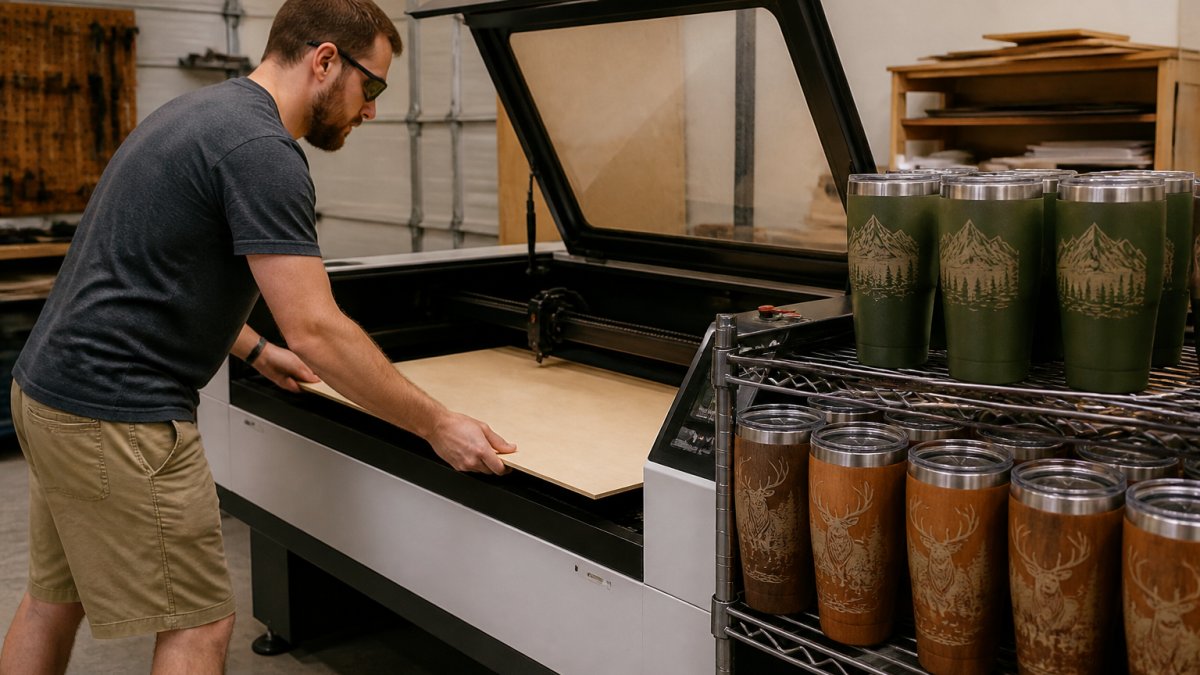
Batch production is the biggest lever on efficiency: group orders by material and engraving depth and run them back to back.
Laser Engraving Marketing Beyond Marketplace Listings
Laser engraving marketing that relies only on marketplace search leaves you competing on price against everyone selling the same blank. Build demand you own: an email list, a simple Shopify store, local corporate gifting relationships, and maker fair presence.
A practical move: photograph every custom product, add buyers to an email list at checkout, and send a seasonal reorder reminder. Repeat orders cost far less than marketplace clicks.
Unit Economics and Cash-Flow Planning for Your Laser Business
Unit economics decide whether scaling makes you money or just makes you busier. The gap most laser shops hit is not a lack of orders, growth consumes cash before it returns cash. Bigger material orders, equipment deposits, and marketplace payout delays all land before revenue does, so a shop can be profitable on paper and still run out of money to buy blanks.
Build a Contribution Margin Line for Every Product
Contribution margin is what a product leaves behind after variable costs, the money that pays fixed costs and, eventually, you. Calculate it per product, not per shop, because a diversified mix hides losers.
For each SKU, list:
- Material cost per unit, blank plus any consumable (masking, finish, packaging). Track this from receipts, not memory.
- Machine time cost, hours on the laser × an hourly machine rate covering purchase price over useful life, power, lens/tube replacement, and maintenance. Set an internal rate and apply it consistently so quotes are comparable.
- Direct labor, your time or a helper's time at a real wage, including file prep and packing, not just the engraving minutes.
Contribution margin = price − (all variable costs above). If a product's contribution margin is thin, no amount of volume fixes it; scaling a low-margin product scales the loss.
Separate Fixed Costs From Variable Costs
Fixed costs arrive whether you ship or not: software subscriptions, rent, insurance, equipment loan or lease payments, and salaried help. Variable costs scale with each order. Break-even is a fixed-cost question; product viability is a contribution-margin question.
Model Cash Flow in 90-Day Blocks
Profit and cash are not the same thing. A 90-day cash forecast should show, week by week:
- Cash in, when marketplace payouts actually settle, not when the order ships. Payout timing varies by platform and can lag shipping by days to weeks; model the lag, not the sale date.
- Cash out, material purchases (often paid up front), equipment deposits, lease or loan payments, fees, and wages.
- The gap, the lowest point in the forecast. That number is your working-capital requirement, and it should be funded before you scale, not discovered mid-quarter.
Keep a buffer covering at least one full payout cycle plus a material restock. Shops that scale without one tend to finance growth on credit cards at rates that erase the margin they were chasing.
Model New Equipment Against Realistic Added Volume
When considering a machine purchase, run the return against added contribution margin, not best-case revenue. Test: monthly payment + added consumables + added labor must be covered by contribution margin from orders the machine actually unlocks. If it removes a bottleneck but you cannot fill the added capacity, the payment is a fixed cost with no matching revenue, the most common way scaling stalls a shop.
Reinvestment Rule
Decide in advance what share of monthly profit goes back into the business (materials, buffer, equipment) versus to you. A written rule prevents two failure modes: draining the buffer for personal draws, or reinvesting everything and never paying yourself. Funding the buffer first, then equipment, then owner pay beats an informal 'whatever is left' approach.
When to Hire and How to Delegate Production
Hire when documented processes, not ambition, tell you to. The clearest signal is a consistent backlog you cannot clear without turning down orders, not a busy week, but a multi-week pattern of slipping lead times. A second signal: you are doing low-skill tasks (loading, weeding, packing) during hours you should spend on sales and design.
The Delegation Sequence
Delegate in order of repeatability, not in order of what you dislike. The sequence that works for most shops:
- Machine operation on prepped jobs, loading material, running saved settings, unloading. Lowest skill, highest time recovery.
- Finishing and packing, cleanup, inspection against a sample, boxing, labeling.
- Material prep and inventory, cutting blanks to size, stocking, reordering against a par level.
- File prep, only after settings and standards are documented; this is where quality drifts fastest.
- Customer communication, last, because it carries the brand and the pricing conversation.
Keep design, quoting, and customer communication yourself until production is stable. Delegating a task you cannot yet describe in writing produces inconsistent output and returns.
Write a One-Page Standard for Each Task
A standard is not a job description, it is the exact steps, settings, and acceptance criteria for one task. A machine-operation standard includes material and thickness, saved file name and settings profile, focus procedure, orientation, expected run time, and what a passing part looks like. Packing includes the inspection checklist and packaging spec.
Train Against the Standard, Then Check the First Batch
Training procedure that holds up:
- Walk the helper through the standard once while they watch.
- Have them run it while you watch, correcting in the moment.
- Have them run it alone and inspect the first batch against a known-good sample before it ships.
Documented settings plus a first-batch inspection catch the errors that otherwise become returns and reviews.
The Hiring Economics
A production helper should free more of your time than they cost in wages, payroll taxes, and training. Run the math before you post the role:
- Cost side, hourly wage × expected hours, plus employer payroll taxes and any benefits, plus a training allowance for the first several weeks when output is below standard.
- Benefit side, hours freed × the value of what you do with them. If the freed hours go into sales and design that add contribution margin, the hire pays for itself. If they go into more low-value tasks, it does not.
A useful test: can the added contribution margin from the work you take on with freed time cover the fully loaded cost of the hire within a defined payback window? If not, the bottleneck may be demand or pricing, not labor.
Delegation Without Losing Quality
As volume grows, protect quality with three habits: a known-good sample at each workstation, a first-batch inspection for every new product or material, and a short written log of settings changes so one person's fix becomes everyone's standard. Skipping these turns a scaling shop into a returns problem.
Conclusion: Your First Three Moves This Quarter
The challenge is not finding more orders; it is building a business that absorbs them without breaking your margin or your calendar. Laser Layer Maker clears the file-prep bottleneck with layered, laser-ready exports for LightBurn, DXF, and xTool Studio, so your machines keep running as volume grows.
Frequently Asked Questions
How do you move a laser business from a hobby to full-time?
Treat the transition as a numbers decision, not a feeling. Track monthly revenue, material costs, machine time, and hours worked for at least three months. When profit after materials and fees covers your personal expenses for two consecutive quarters, and you have three months of operating costs saved, you can move to full-time. Before that point, keep reinvesting in production workflow and pricing so your margin holds as order volume grows.
How much should you charge per hour for laser engraving?
Start with your machine time plus labor, then add materials and overhead. A common approach is to set an hourly shop rate that covers machine wear, electricity, and your own time, then multiply by the job's run time. Add material cost and a profit margin on top. For custom products, price the finished item by perceived value rather than raw minutes, especially for personalized gifts where buyers expect to pay more than the sum of parts.
When should a laser engraving business buy another machine?
Buy another machine when your current laser is booked above roughly 70 to 80 percent of available production hours for several weeks, and quotes are slipping because of lead times. Buying earlier ties up cash you need for materials and marketing. Buying later means turning away orders. Track machine utilization weekly so the decision is based on data, and consider whether a second machine of the same model or a different type, such as a fiber laser for metal, solves the actual bottleneck.
How do you get more customers for a laser engraving business?
Marketplace listings alone cap your growth. Add a simple website with a portfolio, collect email addresses at every sale, and pitch local businesses for corporate gifting and signage. Post process videos on social platforms where your buyers already scroll, and ask repeat customers for referrals with a small discount. Track which channel produces orders so you spend marketing time where it pays back, not on every platform at once.
How can you price custom laser engraving jobs profitably?
Build every quote from four parts: material cost, machine time at your shop rate, design or setup time, and a profit margin. Never quote from material cost alone. For repeat products, calculate your profit margin per unit and drop any item that does not clear your target after Etsy fees, shipping, and packaging. Review your laser engraving pricing every quarter as material costs and demand shift, and raise prices on your best sellers first.
What software is best for laser cutting and file preparation?
Most shops run LightBurn or the manufacturer's software such as xTool Studio for machine control, and use a separate tool for preparing artwork. The bottleneck is usually converting photos and logos into clean, layered files with correct engraving depths. A dedicated layering tool that exports to LightBurn SVG, DXF, and xTool Studio saves hours per design compared with manual tracing in Illustrator, especially when you process hundreds of customer photos.
Start this quarter with three moves: prove demand for 60 to 90 days, price every quote from your real costs, and document your production workflow before you hire. When file prep is the thing slowing you down, get started with Laser Layer Maker and turn photos and logos into production-ready layered files, so scaling adds profit instead of just hours.