 how-to
How Do You Design a Layered Wood Mandala?
Last Updated: October 25, 2026
Quick Summary
To design a layered wood mandala, sketch concentric rings on paper first, then trace them into closed vector line art with each ring on its own named layer. Export one file with all rings on separate layers, test your laser settings on the actual sheet, and dry-fit before gluing.
- A typical layered wood mandala uses three to six rings, so plan each ring as one wood layer.
- Leave at least 6 mm between rings so every layer keeps a solid border.
- Work in millimeters throughout, since switching units mid-project causes wrong cut dimensions.
- Measure kerf once per material and lens combination, then record it on the material's label.
- Use registration pins for thin or fragile rings, and keep spacer thickness consistent across the piece.
Table of Contents
- Start With a Mandala Design That Works as Layers
- Build a Laser Cut Mandala Design in Your Vector Software
- Export a Clean Layered Mandala SVG for Your Machine
- Wood Mandala Laser Cutting Settings and Material Testing
- Layered Wood Art Assembly: Stacking, Alignment, and Finish
- Fix Common Problems Before You Waste Another Sheet
- Plan Your Next Layered Mandala File With Laser Layer Maker
- Frequently Asked Questions
Start With a Mandala Design That Works as Layers
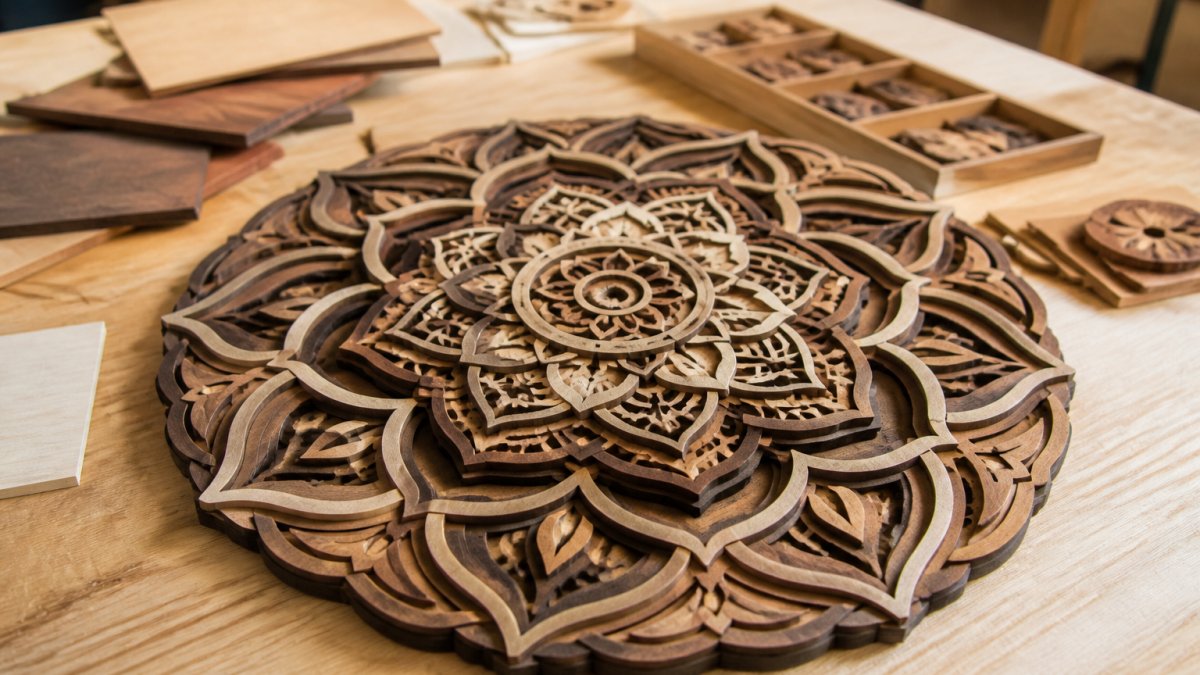
A layered wood mandala is built from separate rings of wood, stacked to create depth. The key is planning each ring on paper before you touch a computer.
Below is the full workflow, from sketch to finished wall art. A layered wood mandala rewards planning more than talent, you do not need to be a designer, just a clean plan.
Sketch the Concentric Rings Before You Open Any Software
Start with paper and a pencil. Draw the outermost layer first, then work inward. Each ring becomes one wood layer; a typical mandala uses three to six rings. More rings mean more depth, but also more cutting and alignment work.
Keep these rules in mind as you sketch:
- Leave at least 6 mm between rings so each layer has a solid border
- Mark which ring sits on top and which sits at the back
- Note where you want gaps so shadow and light can pass through
Turn the Sketch Into Clean Line Art and Outlines
Scan or photograph your sketch and trace it into line art with closed outlines. Every shape must be a closed vector path; an open path will not cut. If you hit broken vectors, our guide on how to fix open vector paths walks through repairing them in Illustrator and LightBurn.
A few habits that save time here:
- Trace at high zoom so curves stay smooth
- Delete stray anchor points as you go
- Group each ring separately before you move on
Clean line art is the foundation of every good laser cut mandala design.
Build a Laser Cut Mandala Design in Your Vector Software
Open your vector software and rebuild the sketch at final size, with the artboard set to your exact cut dimensions. Work in millimeters throughout, switching units mid-project causes wrong cut dimensions. Set stroke width to a hairline for cutting, then sort each concentric ring onto its own layer.
Duplicate, Group, and Arrange Each Ring
Layer duplication is where the 3D effect comes from. Group each ring before you duplicate it, then scale or rotate it slightly to build depth, ungrouped shapes scatter when scaled.
Arrange layers so the smallest ring sits on top and the largest at the back, and name each clearly, for example "ring-1-back" through "ring-5-front."
A common mistake is doubling layers without checking overlap. Two rings that touch will fuse after cutting.
Export a Clean Layered Mandala SVG for Your Machine
Export one file with all rings on separate layers, that is what a layered mandala SVG should contain. Before exporting, check that all paths are closed, each ring is on its own named layer, units are set to millimeters, and stroke width is hairline for cut lines. If your export settings give you trouble, our step-by-step guide to exporting LightBurn-ready files covers formats and troubleshooting.
Wood Mandala Laser Cutting Settings and Material Testing
There is no universal setting for wood mandala laser cutting. Every laser tube, sheet, and thickness behaves differently, so the only reliable approach is a structured test on the exact material you plan to cut, the step most tutorials skip, and the one that decides whether your rings fit together.
Understand Kerf Before You Set Anything
Kerf is the width of material the laser removes along every cut. On a typical CO2 laser cutting 3 mm Baltic birch plywood, kerf commonly falls in the 0.1-0.2 mm range per side, but it varies with lens focal length, power, speed, and material density.
Measure your kerf once per material and lens combination:
- Cut a 25 mm square in scrap of the same sheet.
- Measure the inside of the cutout and the outside of the drop-out with calipers.
- Subtract the inside measurement from 25 mm and divide by two. That is your per-side kerf.
- Record it on the material's label and apply it as a global offset in your vector software if your design depends on tight fits.
For stacked mandala rings that only sit on top of each other, kerf mostly affects visual gap width, not fit. For registration pins, frames, or inlay, it is critical.
Build a Test Grid on the Actual Sheet
A test grid is a small array of identical shapes cut at different power and speed combinations on the same sheet you will use for the final piece. A practical layout for a 3 mm sheet is a 4×4 grid of 10 mm squares:
- Hold power constant across a row and vary speed across columns, or vice versa.
- Keep the focus setting fixed at the manufacturer's recommended focal distance for the lens.
- Label each square with a pencil before cutting so you can match results to settings.
Score each square on three criteria: does the cut release cleanly, is the edge light or dark, and is the backside scorch minimal. The winning setting is the fastest speed that still releases the part with light edges. Write it down, settings drift as tubes age, so retest every few months or after a lens change.
Material Behavior You Should Expect
| Material | Typical Thickness | What to Watch |
|---|---|---|
| Baltic birch plywood | 3 mm | Clean edges, low char; glue voids can cause flare-ups |
| Basswood sheet | 2-3 mm | Burns fast, lower power; edges darken quickly |
| MDF | 3 mm | Heavy smoke, strong smell; edges char and need sanding |
| Wood veneer | Under 1 mm | Tears easily; back with transfer tape before cutting |
| Walnut or cherry veneer | Under 1 mm | Beautiful contrast; check for knots that cut unevenly |
Plywood is the most forgiving for layered mandalas because it holds detail and resists warping. Solid hardwood is harder to source in thin sheets and tends to cup, so most makers stick with plywood or veneer over a plywood core.
Focus, Air Assist, and Power Trade-offs
Focus sets spot size, and spot size sets kerf and edge quality. A shorter focal-length lens gives a finer spot and narrower kerf but a shallower depth of field, so the sheet must sit flat.
Air assist blows smoke away from the lens and clears debris from the cut. On plywood it dramatically reduces edge char and flare-ups in glue voids.
When a cut fails, adjust in this order:
- Lower speed before raising power, speed changes are easier to reverse and cause less char.
- Add a second pass at the same settings rather than one high-power pass; two light passes usually produce cleaner edges than one hot pass.
- Check focus and lens cleanliness before touching settings again.
A test grid plus a recorded kerf number turns laser settings from guesswork into a repeatable process. Do it once per material and you will stop wasting full sheets on unverified settings.
Layered Wood Art Assembly: Stacking, Alignment, and Finish
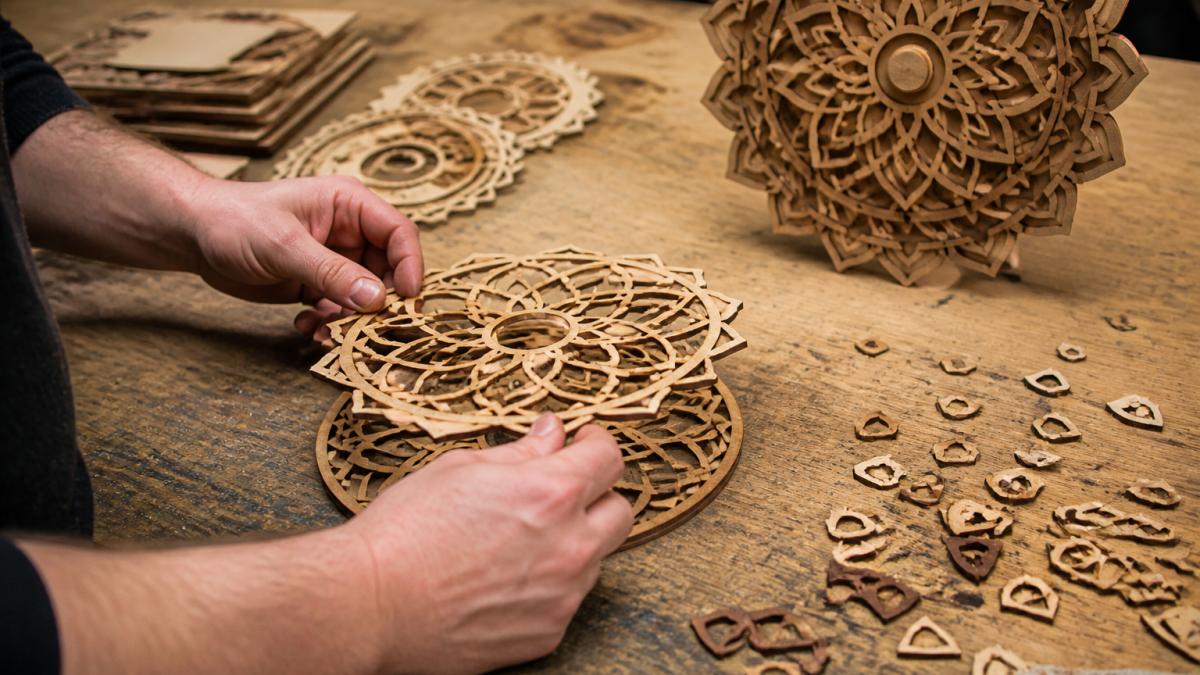
Layered wood art assembly is where the piece either looks professional or homemade, and alignment and spacing decide which. A stack glued out of register shows a visible shadow line on every edge, and once the glue sets there is no fixing it.
Dry-Fit and Register Before Any Glue
Dry-fit every ring in order and check three things: the gaps sit evenly, the outermost ring is the largest, and no ring overlaps another from the front. If a ring is rotated slightly, the pattern will look off even if spacing is correct.
Registration is the technique of forcing every layer into the same position. Three methods work well for mandalas:
- Corner jig: a flat board with two right-angle fences. Press each layer into the same corner as you stack. Simple and effective for square or rectangular backers.
- Registration pins: cut small holes in the same location on every layer and drop them over dowel pins set in a base board. This is the most accurate method and the one to use when rings are thin or fragile.
- Center post: a single dowel through the middle of every ring. Good for round mandalas where the center is solid, but it limits how much you can offset layers for shadow play.
Pick one method and use it for the whole piece. Mixing methods mid-stack is how layers drift.
Control Spacing With Spacers
The gap between layers is what creates the shadow and depth. If you glue layers directly face to face, the stack looks flat no matter how many rings you use. Insert spacers to hold a consistent gap:
- Small squares of the same plywood, cut to a uniform thickness, placed at three or four points around each ring.
- Thin craft foam or cork sheet for a softer, slightly compressible gap.
- Stacked washers or small cut rings for a mechanical look.
Keep spacer thickness consistent across the whole piece. A 2-3 mm gap between layers reads as clear depth on a wall piece; larger gaps let more light through but make thin rings look fragile. Cut spacers from the same sheet as the rings so they finish the same way.
Choose and Apply Adhesive
Wood glue (PVA) is the default for wood-to-wood joints. Apply a thin bead, spread it, and press the layer into place; PVA needs clamp pressure and has a short open time, so work one layer at a time.
A practical rule: PVA for structural layers, CA for small decorative pieces or repairs, epoxy only when the piece will hang outdoors or bear weight.
Clamp and Weight Each Layer
Clamping pressure keeps layers flat while the glue cures. Place the piece between two flat boards and add weight, books, a sandbag, or perimeter clamps. Foam cauls spread pressure evenly and prevent denting thin rings.
Let PVA cure under pressure for at least 30 minutes before handling and 24 hours before finishing. CA needs only minutes.
Add Color and Contrast Before Final Assembly
Staining or painting individual layers before assembly gives stronger shadow and light than finishing the whole stack at once. Mask the gluing surfaces so finish does not prevent the bond. Contrasting species, walnut against maple, for example, creates depth without paint. Once the stack is fully dry, apply a clear coat: wipe-on polyurethane or spray lacquer protects the wood and evens out sheen.
Mount and Display
Most layered mandalas hang on a wall or sit in a shadow box. Attach a sawtooth hanger or D-ring to the backer, not a thin ring, and make sure the backer is thick enough to hold the screw. For a shadow box, leave at least 1 inch of clearance behind the stack so the shadow reads.
Fix Common Problems Before You Waste Another Sheet
Most failed mandalas come down to four issues. Check this list before every cut.
- Rings fuse together: your spacing is too tight. Increase the gap between rings.
- Cut does not go through: lower speed or add a second pass.
- Layers do not line up: your artboard scale changed during export. Recheck units.
Watch out: cutting without a test grid on a new sheet of wood is the fastest way to ruin a full board. Test first, every time.
Plan Your Next Layered Mandala File With Laser Layer Maker
Laser Layer Maker turns any image into laser-ready layered files, splitting it into engraving-depth layers automatically and exporting straight to LightBurn SVG, DXF, and xTool Studio, so your mandala design file lands ready for the machine.
If you are new to the tool, getting started with laser layers shows you how to upload an image, choose layers, and export. When you are ready to compare options, you can review the plans and pricing.
For beginners who want the full foundation first, our guide to making layered wood art for beginners covers tools, safety, and finishing.
Frequently Asked Questions
How many layers should a wooden mandala have?
Most layered wood mandala projects land between three and six layers. Three layers give a clear 3D effect without much alignment work, while five or six create deeper shadow and light contrast but demand tighter tolerances. Start with three, confirm your cut dimensions and material thickness are consistent, then add rings one at a time. Each extra layer multiplies the alignment work, so only add layers that change the visual depth.
What wood thickness works best for a layered wood mandala?
Three millimeter plywood or wood veneer is the common choice for smaller mandalas because it stacks cleanly and keeps the piece light enough for wall art. For larger mandalas over 30 centimeters across, move up to 4 to 6 millimeter material so the outermost layer stays rigid. Keep every layer the same thickness, since mixing sizes throws off your stacking depth and makes the 3D effect uneven.
How do you keep small details from breaking when laser cutting a mandala?
Set a minimum feature width for your line art, usually no thinner than the material thickness, and remove any floating islands in your vector file before cutting. Bridge thin shapes to a neighboring ring so they stay attached. Run a test cut on scrap first: if details snap when you lift the sheet, widen the outlines or reduce the layer count. Grouping and checking the design file up front saves more material than fixing breaks afterward.
How do you assemble and finish a layered wood mandala?
Dry-stack the layers first to check alignment, using a center pin or registration holes so the concentric rings line up. Glue from the bottom up, pressing each layer flat and letting it set before adding the next. Once the stack is dry, sand the edges lightly and apply a finish. Contrast helps: stain or paint alternating layers in different wood colors so the shadow and light between layers reads clearly on the finished wall art.
Building a layered wood mandala that sells takes clean files, tested settings, and tight assembly. Every weak link shows up in the finished piece. Laser Layer Maker handles the file preparation so you can spend your time cutting and finishing instead of cleaning up vectors. Upload an image, pick your layer depth, and export a machine-ready file in minutes. Get started with Laser Layer Maker and turn your next mandala idea into a cut-ready design today.